A clearer memory for your pool game

Record the session. Remember the decisions. Review what moves your game forward.

Chalkboard keeps your pool sessions, scores, notes, table layouts, and afterthoughts together, so the useful parts of today’s play are still clear next time.

Private alpha · Invite-only accessDownload for Android →
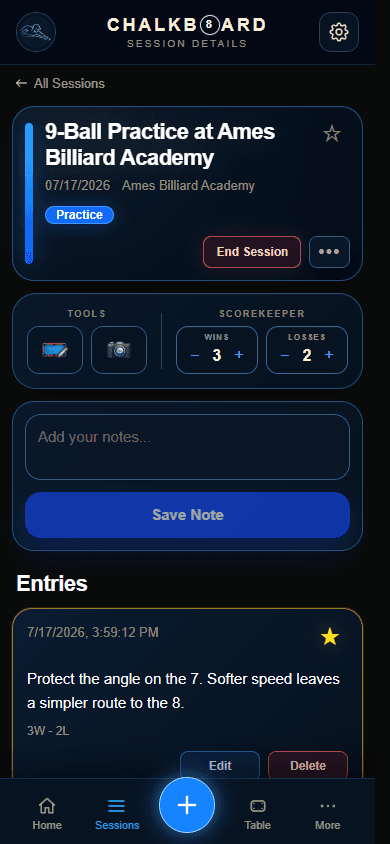
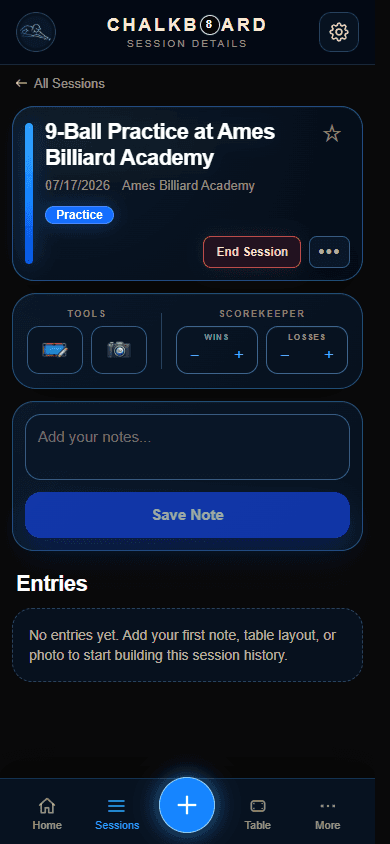
Chalkboard active session screen with session details and controls for notes, score, and session tools.
Actual Chalkboard screen
What Chalkboard helps you do

Keep the parts of your game that are easy to forget.

Start with a simple session record, then add only the context that will make it useful later.

01

Capture sessions and the thoughts behind them

Keep practice, match, league, and tournament notes together while the details are fresh.

Notes, tags, photos, and favorites give useful moments enough context to find again.

02

Keep score and results with the story

Record what happened without separating the result from what you learned at the table.

Use the scorekeeper during play, then add a result and afterthoughts when the session ends.

03

Map layouts and shot sequences

Save the table position when words alone will not preserve a decision or pattern.

Create a standalone layout or connect one to a session, including cue-ball finish context.

04

Return to the moments worth reviewing

Revisit favorite notes, recurring patterns, session history, and useful trends over time.

Sessions, Table Library, and Stats & Insights keep review focused instead of scattered.

A simple loop

Play → Capture → Review → Improve

Chalkboard supports the loop without asking you to document every shot or turn every session into analysis.

  1. 1Play

    Play

    Start with the session in front of you.

  2. 2Capture

    Capture

    Save the score, layout, or thought that matters.

  3. 3Review

    Review

    Return later with the full context intact.

  4. 4Improve

    Improve

    Carry a clearer decision into the next session.

Inside the app

Useful at the table. Clear when you come back.

Each part of Chalkboard has a focused job, from starting quickly to finding a pattern across past sessions.

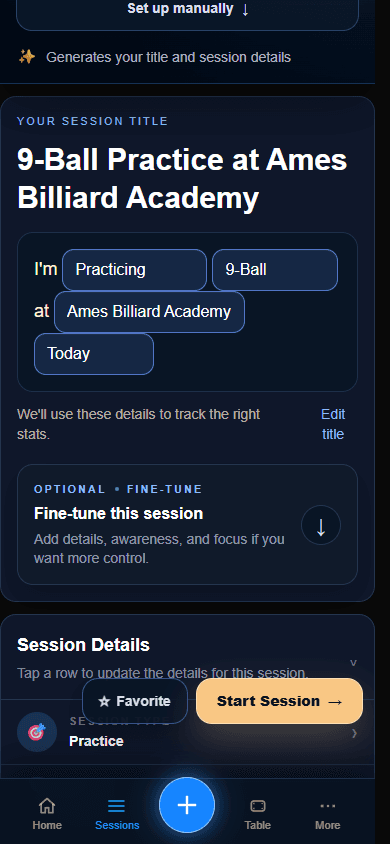
New Session

Begin quickly, without losing useful detail.

Get from arrival to a useful record in a few taps.

Use quick natural-language entry or choose manual details for practice, a match, league night, or a tournament.

Chalkboard New Session screen with quick entry and manual detail options.
Actual Chalkboard screen

Active Session

Keep the important tools close during play.

Capture the moment without turning play into paperwork.

Add notes, tags, photos, favorites, layouts, and results; use the scorekeeper when the set calls for it.

Chalkboard active session screen showing notes, scoring, and favorite controls.
Actual Chalkboard screen

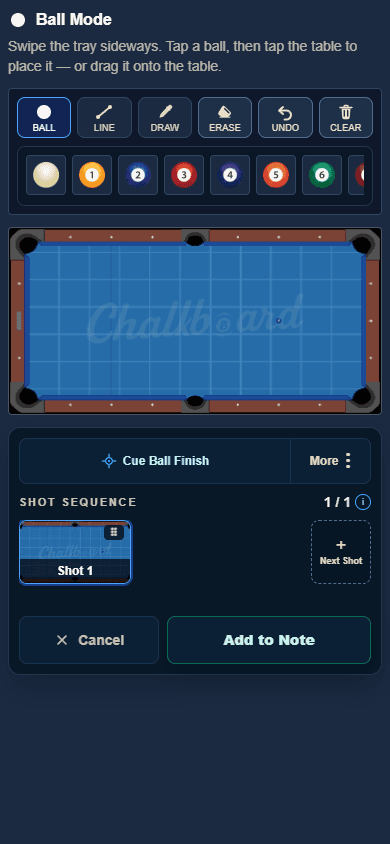
Table Library

Remember the position, not only the outcome.

Preserve decisions and shot sequences visually.

Build standalone or session-linked layouts and document the intended cue-ball finish for later review.

Chalkboard table editor screen for arranging balls and documenting a layout.
Actual Chalkboard screen

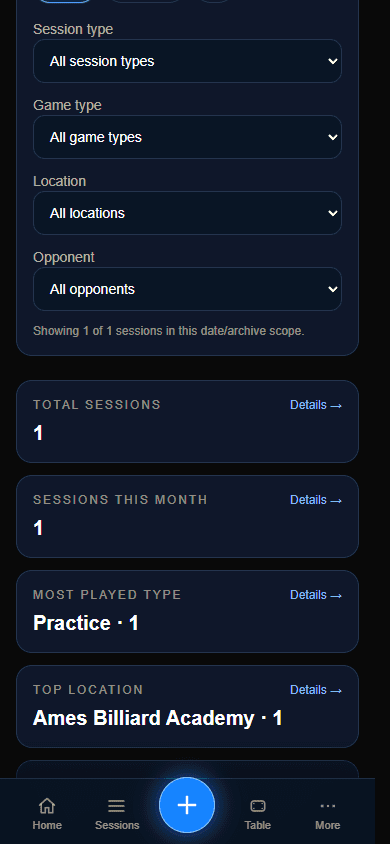
Stats & Insights

Turn a history of sessions into a clearer review.

Notice what deserves attention next.

Revisit activity, results, and patterns alongside Sessions and Favorite Notes while keeping the full session context close.

Chalkboard Stats and Insights screen summarizing recorded sessions and results.
Actual Chalkboard screen
Explore all features →
Choose your platform

Use Chalkboard on the web or Android.

Invited private-alpha players can use the web app or install the signed Android release.

Web App

Private alpha

Use Chalkboard in your browser

The current product experience for invited players. Sign in with your existing private-alpha access.

Open Web App

Android

Signed APK available

Install Chalkboard on Android

Download the permanent signed release for Android 7.0 or later. Chalkboard account access remains invite-only during private alpha.

Download for Android

New to Chalkboard?

See the full workflow before you sign in.

Follow the full flow through actual Chalkboard screens, from starting a session and saving one useful note to tables, review, and exports.

Now available

No sign-in is needed to explore the 13-step walkthrough.

Latest update

FixedImproved

Session editing works from anywhere

  • Added Edit Session to every session’s three-dot menu on All Sessions, including ended and archived sessions.
  • Made the complete session setup editable, including game and opponent details for practice and free play plus stake amounts for gambling sessions.
  • Fixed Save Changes for sessions without a location and kept the save buttons clear of the bottom navigation on mobile.
See What’s New →